
Contact sales now: info@ecommercetemplates.com
Ecommerce Templates > General Help > The Control Panel > Manufacturers
Please note, we use the term Manufacturer for your primary or most commonly used Product Attribute. But if you don't use Manufacturers then any Product Attribute can be used.
The manufacturers feature allows you to assign products to manufacturers and display in a category format along with their logo and description. Here is a sample of how the page might look
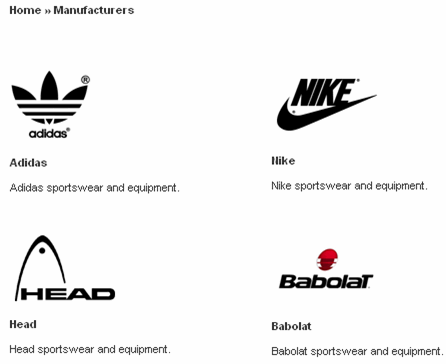
Clicking on the logo or manufacturer name will take you to the page where all the products you have assigned to the manufacturer will appear.
Setting up the page is very simple indeed. Make a copy of of categories.asp or categories.php and save it as manufacturers.asp or manufacturers.php There is nothing more to it than that.
In your admin main page of the store control panel, click on the link entitled "Product attributes" and then click on the button "Modify Attributes". By default the Manufacturer is assigned an ID of 0. This is becuase it is a special case in that it can have its own page and separate drop down choice in the product admin page. You could use this for other purposes though, it doesn't need to be Manufacturers - it could be used for your most common attribute group like "Product Condition" for example.

Click on "Modify Attributes" to enter a new manufacturer. Then click on "Modify" if you need to enter any new details
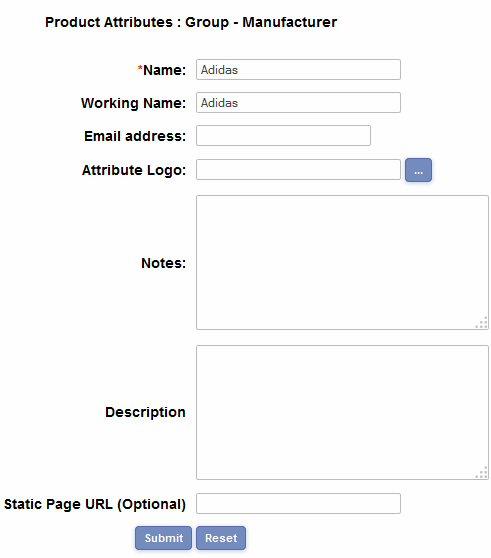
The only obligatory field is the name of the manufacturer. The address / contact details of the manufacturer will not be displayed publicly on the store. Only enter an URL for the static page if you plan using the static page feature, otherwise leave it blank.
Once you have set up the Manufacturers you should see them displayed in the admin like this
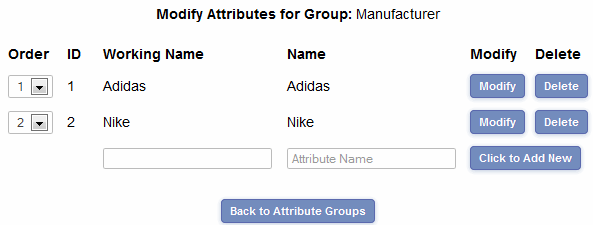
The order column is the order that they will be listed on your public Manufacturers store page. The id is the identifier of the manufacturer in the database and can be used in conjunction with the static page feature.
To assign a product to the manufacturer you will need to go to the product admin page and click on Modify for the product you wish to add. Select the Manufacturer from the drop down choices
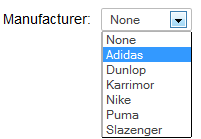
Click on Submit at the bottom of the products admin page and that's all there should be to it.
Adding the manufacturers link to the main categories page
If you want a link in with your main categories to the manufacturers page you set up then all you need to do is set up a new category and call it "Products by Manufacturer" for example. Then in the Category URL (Optional) field enter the URL of the page ie manufacturers.asp or manufacturers.php. Please note that discounts / coupons cannot be applied to this category, they would need to be applied to the individual products or the main category those products were placed in.
Setting up static pages
If you want your manufacturer product pages to have a
static URL then carry out the following:
ASP Version: Save products.asp as yourstaticpage.asp. Find the line
<!--#include file="vsadmin/inc/incproducts.asp"-->
and just before it add
<% explicitmanid=1 %>
...where "1" is the id of the manufacturer.
PHP Version: Save products.php as yourstaticpage.php. Find the line
<?php include "vsadmin/inc/incproducts.php" ?>
and just before it add
<?php
$explicitmanid=1;
?>
...where "1" is the id of the manufacturer.
Finally in your manufacturers admin page, add the static URL to the field labeled "Static URL (optional)".
Dynamic titles and meta tags
The manufacturers page will allow for these search engine friendly