rubantin
Advanced Member
112 Posts |
 Posted - 01/15/2026 : 08:58:33 Posted - 01/15/2026 : 08:58:33

Started self-hosting and had this error come up
"There seems to be a problem connecting to the shipping rates server. Please wait a few moments and refresh your browser.
cURL package not installed in PHP. Set \$pathtocurl parameter."
found the problem in includes.php... there was no path. So, inserted $pathtocurl = "/usr/bin/curl"; and is working..
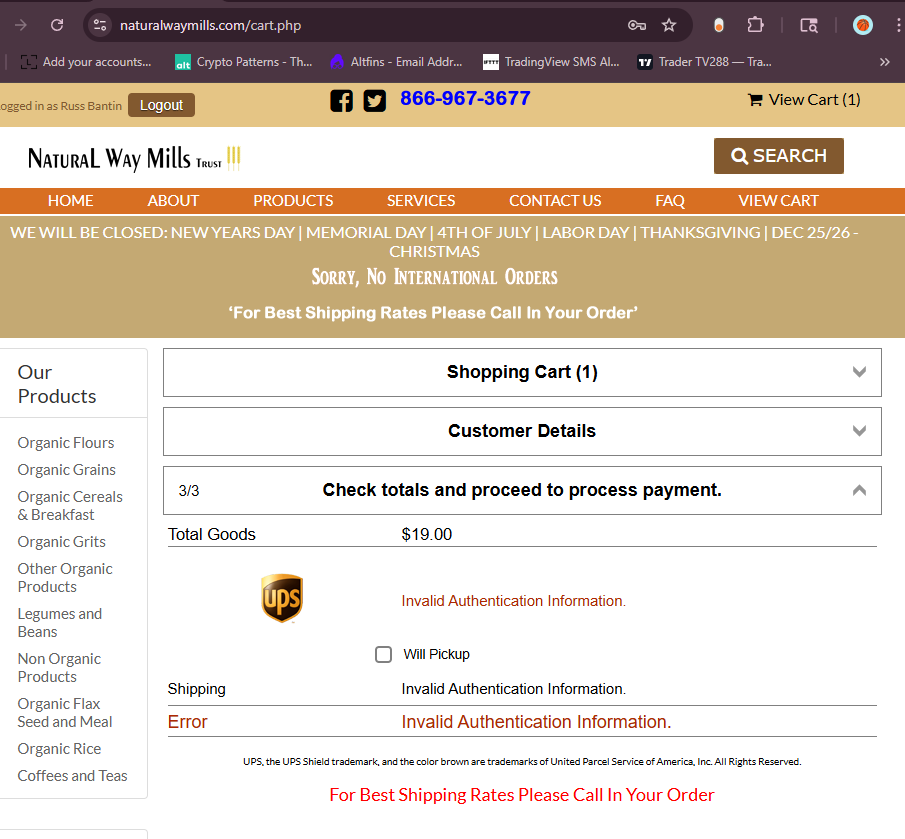
HOWEVER, now I am getting a "Invalid Authentication Information." for the UPS shipping??
Edited by - rubantin on 01/15/2026 09:00:58
|
rubantin
Advanced Member
112 Posts |
Posted - 01/15/2026 : 11:26:55
I created a new UPS credentials, but to no avail....
Contacted UPS technical support and honestly could not understand a majority of what he was saying... Not sure he was speaking english...
|
dbdave
ECT Moderator
USA
10774 Posts |
Posted - 01/15/2026 : 13:08:21
There is a long thread on UPS here recently.
You may not be on the new oauth ups requirements.
Here is something that may help.
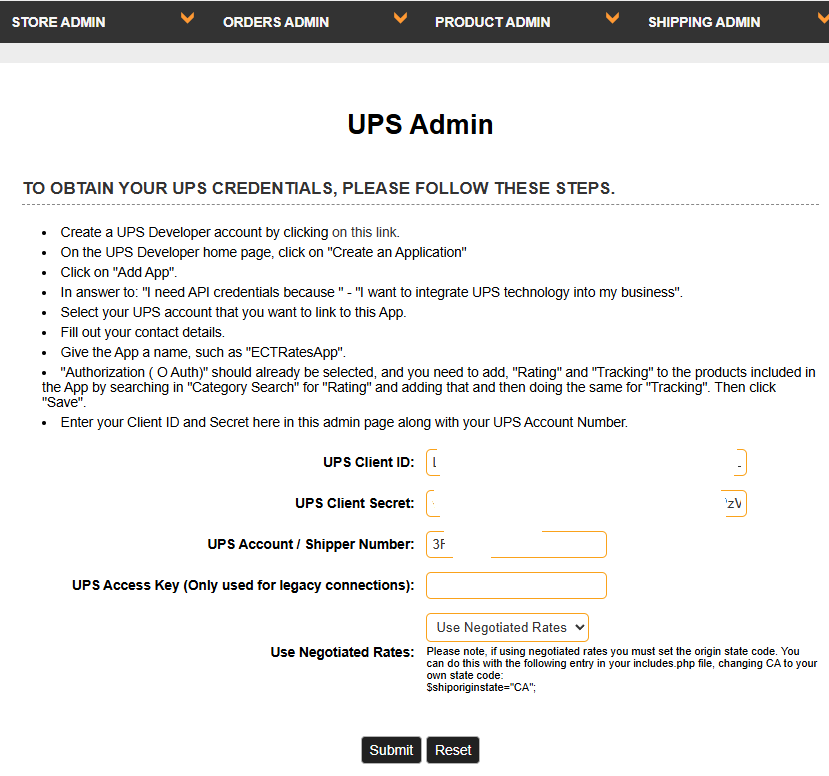
Create a UPS Developer account by clicking here https://developer.ups.com/.
On the UPS Developer home page, click on "Create an Application"
Click on "Add App".
In answer to: "I need API credentials because " - "I want to integrate UPS technology into my business".
Select your UPS account that you want to link to this App.
Fill out your contact details.
Give the App a name, such as "ECTRatesApp".
"Authorization ( O Auth)" should already be selected, and you need to add, "Rating" and "Tracking" to the products included in the App by searching the various API's (use the slider to turn on rating and tracking). Then click "Save".
Enter your Client ID and Secret here in this admin page along with your UPS Account Number.
When you are done, you will get two alphanumerical fields
there is a "copy to clipboard" button.
The first one copy into the rate code field
the second one copy into the password field.
the shipper number is your 6 digit UPS account number
access key - leave empty
Thanks,
David
 |
rubantin
Advanced Member
112 Posts |
Posted - 01/15/2026 : 13:57:27
hmm.. maybe the issue.. I don't have a "rate code" or "password" field..
Instead, I have a "Client ID" and a "Client Secret"
|
dbdave
ECT Moderator
USA
10774 Posts |
Posted - 01/15/2026 : 14:38:53
That sounds like you need to update your store.
What version are you on?
Thanks,
David
|
rubantin
Advanced Member
112 Posts |
Posted - 01/15/2026 : 14:43:33
7.9.1 just updated when all these things started
|
rubantin
Advanced Member
112 Posts |
Posted - 01/15/2026 : 14:51:20
|
dbdave
ECT Moderator
USA
10774 Posts |
Posted - 01/15/2026 : 16:55:08
Ok, I think you are good there.
I would check the UPS registration to be sure you have the correct credentials.
David
|
rubantin
Advanced Member
112 Posts |
Posted - 01/15/2026 : 17:04:54
I went back and redid the "app" in UPS developer. Installed the new credentials and got the same thing. :(
|
rubantin
Advanced Member
112 Posts |
Posted - 01/15/2026 : 17:13:26
|
rubantin
Advanced Member
112 Posts |
Posted - 01/15/2026 : 17:19:37
|
dbdave
ECT Moderator
USA
10774 Posts |
Posted - 01/15/2026 : 18:03:27
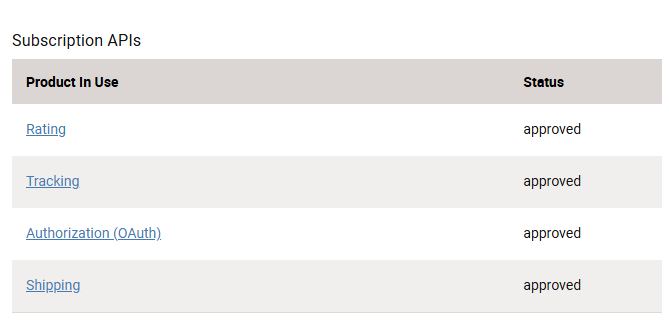
On this screen, at the bottom, what do you see for Subscription APIs? 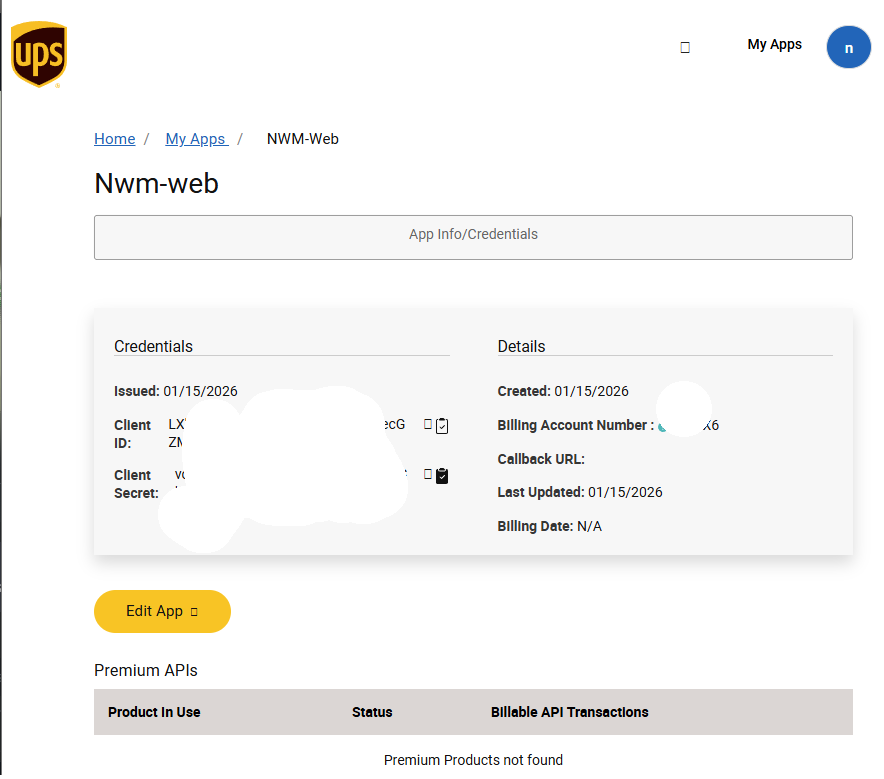 Thanks, David
Edited by - dbdave on 01/15/2026 18:05:24
|
rubantin
Advanced Member
112 Posts |
Posted - 01/15/2026 : 19:08:27
I had ChatGPT make a php script to test my UPS credentials. I ran it and input the results and ChatGPT came back with this:
UPS OAuth + Rating are working correctly on this server.
So if your cart is still showing “Invalid Authentication Information”, it’s almost certainly one of these:
the cart isn’t actually using the OAuth path (it’s falling back to the old XML API path), or
the cart is using OAuth but sending bad/blank credentials (wrong field/DB setting, truncated value, whitespace, etc.), or
the cart is still missing the real x-merchant-id value (it’s literally sending "string").
|
dbdave
ECT Moderator
USA
10774 Posts |
Posted - 01/15/2026 : 19:21:26
Well, we know the cart should be ok, so as I asked, can you check the bottom of the page on the UPS side and you should see three items active (approved).
Next, run the updater in full again.
Check the dates on the server of the files transferred to be sure all files made it over.
If you run a secondary (cloned) vsadmin as some folks do, be sure you update that folder as well.
Update the css and js files included in the update package.
Run the updatestore.php file in your browser and monitor for a sucess message. (Remove that file when finished).
Check to see if things are working.
You mentioned "self-hosting" - so perhaps clarify what that means. You are using a VPS perhaps, or you serve the site from your own PC at your location?
Thanks,
David
Edited by - dbdave on 01/15/2026 19:23:18
|
rubantin
Advanced Member
112 Posts |
Posted - 01/15/2026 : 19:30:21
|
rubantin
Advanced Member
112 Posts |
Posted - 01/15/2026 : 21:11:45
David or Vince, I would like you to apply the updater
|
Vince
Administrator
43500 Posts |
Posted - 01/15/2026 : 23:52:19
|
rubantin
Advanced Member
112 Posts |
Posted - 01/16/2026 : 04:24:29
sent, thanks... just woke up
|
Vince
Administrator
43500 Posts |
Posted - 01/17/2026 : 09:59:34
Hi There I've updated the site but looking at it, I think your problem is that cURL is not configured as part of the PHP language on your server. For information about this and how to add the cURL extension to PHP just Google... curl_init not enabled The command line workaround will only work for basic connection but can't send the security headers necessary for connection to UPS. I fixed some issues in the css/ectstyle1.css file while updating so do get a new local copy of that file. Vince Click Here for Shopping Cart SoftwareClick Here to sign up for our newsletterClick Here for the latest updater |
rubantin
Advanced Member
112 Posts |
Posted - 01/18/2026 : 17:21:55
Thanks, Vince... all working now... simple fix if I had seen it first time
|
| |
|




 All Forums

 "Invalid Authentication Information." for UPS